
Build a portfolio site with AI
A portfolio is judged in seconds, mostly on the work. Here is the site Anticode built for a wedding photographer from one sentence, and what to do with it so it brings in enquiries rather than just looking nice.
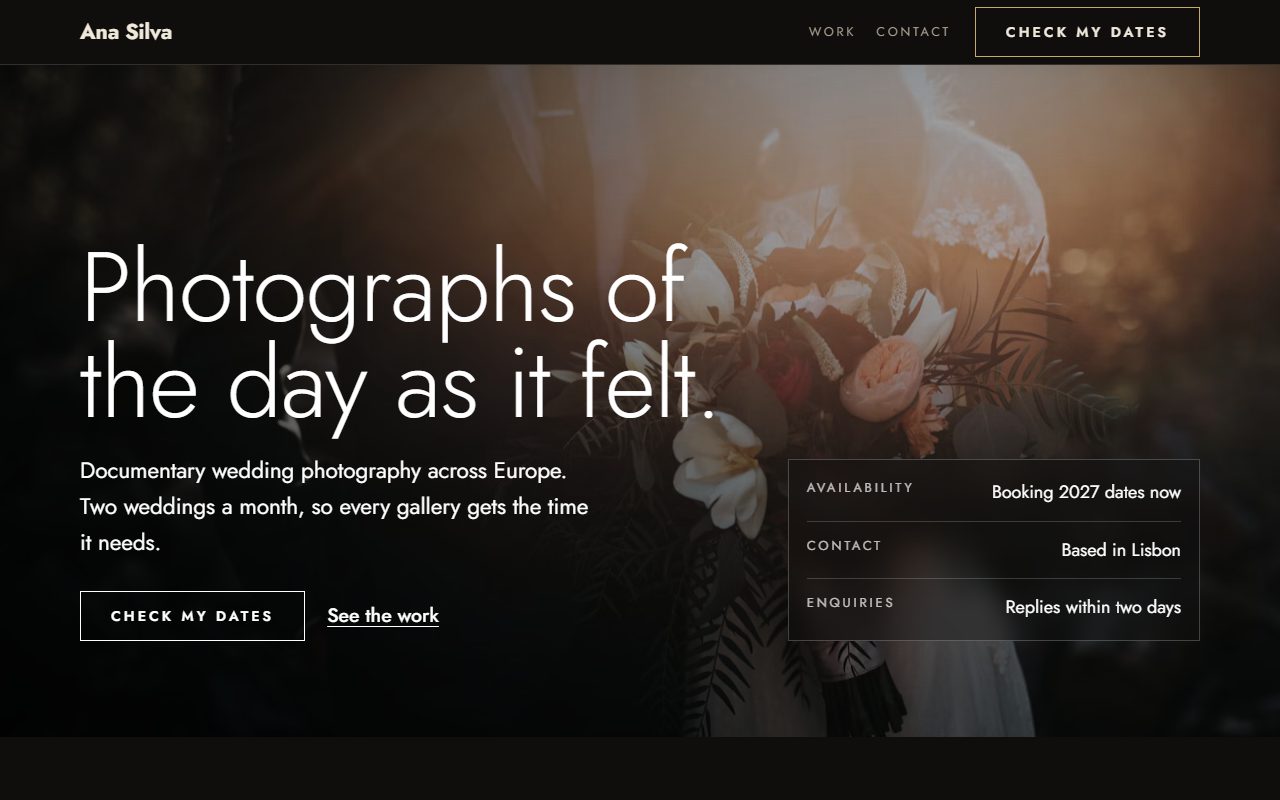
The sentence we typed
“A portfolio for a wedding photographer called Ana Silva, with a contact form.” The word “portfolio” chose the kind; “wedding” and “photographer” chose the Luxury direction, with Jost on a dark ground so the photographs carry the colour. The contact form was asked for, and a portfolio gets one by default anyway: a portfolio without a way to enquire is a gallery.
What the build contained
| Section | Its job |
|---|---|
| Hero | One photograph, one line about the work and availability, and an enquiry button. |
| Selected work | A grid of pieces, each with an image and a caption. |
| Story | Who you are and how you work, in your own voice. |
| Contact form | A short enquiry form, delivered to your Anticode inbox. |
| Footer | Where you're based and when you're available. |
It came to about 23 KB of HTML with no scripts, and passed all twelve security checks and all nineteen design checks.
Your images are the site
The build uses photographs from a curated Unsplash library, chosen for the subject, so you can judge the layout. For a portfolio they have to go: a photographer's site with stock wedding photos is worse than no site. Replace each one with your own in the visual editor. The layout keeps every image's proportions and loads them at the right size for the screen, so a phone doesn't download a desktop-sized file.
Write real alt text as you go: who or what is in the picture, in a sentence. It's what a screen reader announces, and it's what search engines read to understand an image. Sentinel checks that every image has one, but only you can make it accurate.
Choosing the work
- Show fewer, better pieces. Six to twelve strong images beat forty good ones. Every weak image lowers the average a visitor remembers.
- Show the work you want more of. If you'd rather shoot small elopements than big hotel weddings, lead with elopements.
- Caption with context. The place, the season and one line about the brief help a visitor picture their own day.
- Keep it current. Swap a piece in every few months so the first screen reflects your best recent work.
From portfolio to enquiries
Most portfolio sites fail at the last step: the visitor likes the work and then can't tell whether you're available, roughly what you cost or how to ask. Put availability in the hero facts, a starting price or package range in the story or a pricing section, and keep the enquiry form short. For weddings, consider asking for the date first: it's the one question every couple can answer straight away.
More than one page
A single page suits most portfolios. If you need more, ask for it: “a four-page portfolio” gives you separate work, about, contact and services pages with one shared header and footer. Designers, illustrators and architects use the same build kind; the subject in your sentence changes the starting copy and the direction it suggests.
Publish to a free anticode.dev address, connect your own domain on Pro, or export the code.