
Build a booking site with AI
For a barbershop, salon, clinic or studio, the website mostly exists to fill the diary. Here is the booking site Anticode built from one sentence, and how the booking calendar behaves once it's published.
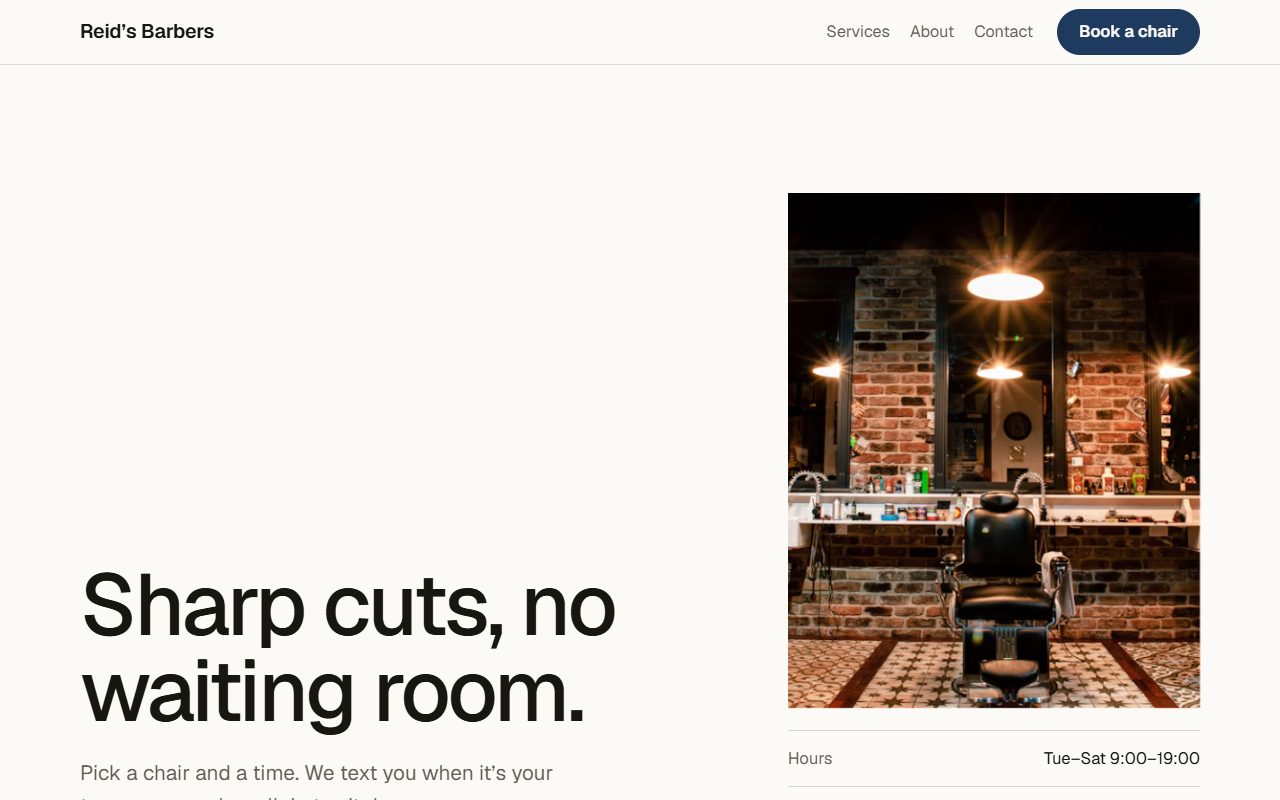
The sentence we typed
“A booking site for my barbershop called Reid’s Barbers.” It's the example sentence the builder suggests, and it's a good test because a barbershop needs everything a booking site needs: a service list with durations and prices, opening hours, a way to pick a time and a way to ask a question.
The word “booking” chose the kind, and “barbershop” chose the Editorial direction and a set of starting services: a skin fade, a scissor cut, a beard shape-up, a hot towel shave, a cut and beard together, and a kids' cut, each with a time and a price. They're there so you can see the layout working. Change them to your own list before you publish.
What the build contained
| Section | What a customer does there |
|---|---|
| Hero | Reads what the shop is and sees the hours and address without scrolling, then taps Book a chair. |
| Services | Compares services by length and price. |
| Why us | Gets three reasons to pick this shop over the one down the road. |
| Team | Sees who will cut their hair. |
| Booking calendar | Chooses a service, a day and a time, and leaves a name and contact details. |
| Contact form | Asks anything the page didn't answer. |
| Footer | Finds the address and hours again on the way out. |
The published page was about 23 KB with no scripts, and it passed all twelve security checks and all nineteen design checks.
How the booking calendar works
A published Anticode page contains no JavaScript, so the calendar is an ordinary HTML form. That makes it fast and hard to break, and it raised a real problem we had to solve: a static page would show the days that were current when it was built, and go stale a week later. So the calendar is refreshed as the page is served.
- The days are always current. Each time the page is served, the day choices are rewritten to start from tomorrow. Mondays are skipped.
- Impossible dates are refused. The server rejects dates that don't exist, have already passed, or are more than 120 days ahead, whatever the form sent.
- No double bookings. A booking is only saved if that day, time and service are still free, checked in the same database write. If two people choose the same slot at the same moment, only the first is saved.
- Bookings reach you. Each request lands in your Anticode inbox. You can also have it emailed to you or sent on to Slack, Telegram, Google Sheets and other connectors, and the customer is told you'll confirm the time by email.
What a booking site needs to get right
- Prices and durations on every service. People book what they understand. “From £24, 40 minutes” removes the question that would otherwise become a phone call.
- Hours above the fold. The most common reason to visit a local business site is to check when it's open.
- A short form. Ask for the minimum: service, time, name and one way to reach them.
- A cancellation policy in plain words. Put it next to the calendar, not in the terms.
- Real photographs of the place. Stock interiors are easy to spot, and the shop itself is part of what you sell.
Where it stops
The calendar handles one diary for the business. It doesn't take deposits, sync with Google Calendar or give each staff member their own availability. If you need those, a dedicated booking service may suit you better, or you can export the site as a Next.js project, which includes a bookings API and an admin area with staff roles and two-factor sign-in, and extend it.